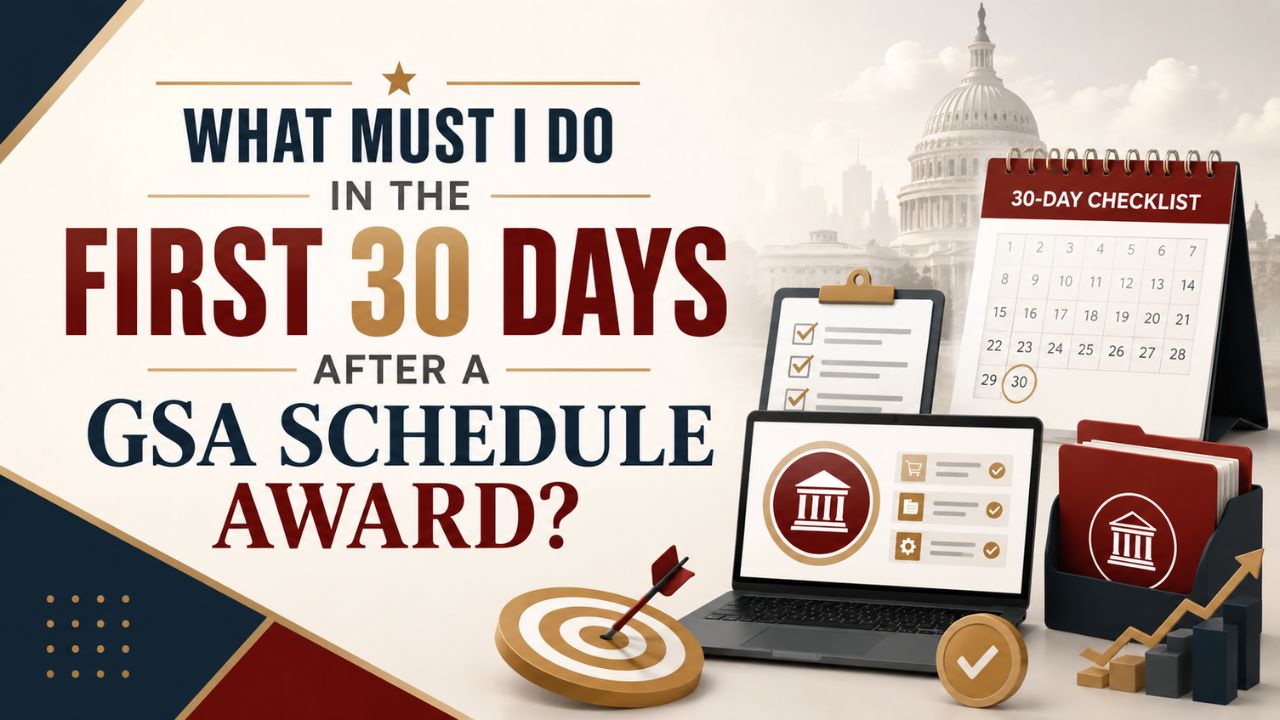
The award email is the good news. The next 30 days determine whether your contract is actually usable.
The first 30 days after a GSA Schedule award should be used to register the contract in the Vendor Support Center, publish accurate electronic contract data to GSA Advantage!, eBuy, and eLibrary, establish sales-reporting access, and assign contract-management ownership. A Schedule award creates eligibility. These actions make that eligibility visible to buyers and manageable inside your company.
Too many contractors celebrate the award, return to their commercial work, and learn months later that their catalog is incomplete, their reporting login is unresolved, or nobody is responsible for checking eBuy. That is not a GSA problem. It is a post-award operating problem.
What Has To Be Done Immediately After Award?
Start with access, ownership, and contract visibility. GSA’s post-award checklist calls for contractors to register the MAS contract, become familiar with the Vendor Support Center, and publish electronic contract data. The catalog publication requirement is due within 30 calendar days after award. Review GSA’s current post-award requirements.
Your first week should answer these questions:
• Who is the internal contract owner, and who is the backup?
• Are the Authorized Negotiator details accurate?
• Has the contract been registered in the Vendor Support Center?
• Which catalog workflow applies to the contract, including FCP, Product File, Services Plus File, or a Price Proposal Template workflow?
• Can your team locate the award documents, price list, terms and conditions, awarded SINs, and executed modifications in one place?
A government contract without a named internal owner becomes a shared task. Shared tasks tend to become missed deadlines.
What Must Be Published Within 30 Days?
Your electronic contract data needs to be available where federal buyers look for contractors and awarded offerings. For new awards, GSA directs contractors to publish data through the FAS Catalog Platform so the contract can appear on GSA Advantage!, eBuy, and eLibrary.
The Terms and Conditions file is not a decorative attachment. It tells an ordering activity what has been awarded, how to place an order, and what contract-specific terms apply. A buyer cannot confidently buy what they cannot verify.
| Priority | Action | Why It Matters |
| Week 1 | Register the contract and confirm the responsible users. | You need access before you can report, publish, or act on notices. |
| Weeks 1 to 3 | Prepare and validate the catalog and Terms and Conditions file. | A buyer needs an accurate public contract record to find and order from you. |
| By day 30 | Publish the required electronic contract data. | This meets the post-award publication requirement and supports buyer visibility. |
| Ongoing | Set a reporting, Mass Mod, catalog, and eBuy cadence. | A Schedule pays off only when compliance and business development run together. |
How Do I Set Up Sales Reporting and the IFF Correctly?
Set up the FAS Sales Reporting Portal before the first reporting deadline, then decide who reconciles the sales data to your accounting system. The right reporting method depends on the terms of your contract and whether it is subject to Transactional Data Reporting.
The core discipline is simple: your sales system must be able to separate MAS sales by SIN, identify the reporting method your contract requires, and support the Industrial Funding Fee remittance. GSA requires contractors to track Schedule sales and report through the appropriate portal on the applicable monthly or quarterly cadence.
Do not leave this to finance alone. Finance can pay the IFF, but someone still has to determine which invoices are Schedule sales, whether the SIN was correct, and whether the catalog and order documentation support what was reported.
When Should I Start Using eBuy and Targeting Agencies?
Start before the catalog work feels finished, but do not market offerings that are not awarded and published. You can use the first month to learn where your SINs fit, identify agencies buying comparable services or products, and establish a daily eBuy review habit.
The Schedule does not create a pipeline for you. It makes a pipeline possible. Your federal business-development team should know:
• Which agencies have a buying history that matches your awarded SINs.
• Which offerings are ready to be quoted today.
• Who checks eBuy, how often, and who has bid or no-bid authority.
• How your capability statement identifies the Schedule contract number, SINs, UEI, and relevant past performance.
If you have the award but no answer to those questions, the work is not more promotion. It is a federal market strategy built around actual agency demand.
What Are the Most Common First-Month Mistakes?
The costly mistakes are rarely dramatic. They are the small omissions that keep buyers from finding you or make a later modification harder than it should be.
Watch for these:
• Treating publication as optional. Your contract is not commercially ready if buyers cannot verify the awarded offerings.
• Using marketing language as catalog data. Your public offering must match the awarded contract, not a future product roadmap.
• Ignoring reporting setup until the deadline. The first report is much easier when sales tracking begins with the first order.
• Assigning no backup owner. Personnel changes are a common source of missed Mass Mods, stale catalog data, and access failures.
• Waiting for inbound orders. The contract provides a buying path. It does not replace a business-development process.
Our Take
The first 30 days show whether a contractor views the Schedule as an award to display or an asset to operate. The strongest post-award teams make catalog publication, reporting, and opportunity pursuit part of one weekly rhythm from day one.
GSA Verticalization™ is built around that connection. A compliant catalog makes a contractor findable. A findable contract produces opportunities. A disciplined reporting and modification process keeps the vehicle usable after the first sale.
Related Resources
• How Do I Actually Win Work on My GSA Schedule?
• Is Getting a GSA Contract Enough to Start Winning Federal Work in 2026?
Frequently Asked Questions
How Soon Can I Start Selling After a GSA Schedule Award?
You can pursue work that is within your awarded scope, but your contract must be properly registered and its electronic contract data published as required. Build your pursuit plan immediately while you complete the post-award setup.
Do I Have to Use GSA Advantage! if I Sell Services?
Your contract data still needs to be published through the required GSA systems. The details of the catalog workflow depend on the type of offerings and the applicable FCP file type.
Who Should Own GSA Schedule Compliance Internally?
Assign one accountable owner and one backup. That person coordinates finance, sales, operations, catalog updates, reporting, Mass Mods, and the contract’s relationship with GSA.
What Happens if My Catalog Is Not Published on Time?
Buyers may not be able to find or verify your awarded offerings. That delays the contract’s commercial usefulness and can create avoidable compliance and opportunity costs.
Is a GSA Schedule Enough to Generate Orders?
No. The Schedule provides a streamlined path for agencies to buy from you. You still need accurate public contract data, targeted business development, and a consistent process for responding to opportunities.
Make the First Month Count
The general checklist is public. The challenge is applying it to your actual contract: which catalog fields matter, how finance identifies Schedule sales, and which agencies are worth pursuing first.
Capitol 50 can help you turn the award into an operating plan that connects your catalog, compliance calendar, and first pipeline targets.
→ Start Your Post-Award Readiness Review
The right first-month system makes every later modification, report, and opportunity easier to manage.